Twitch theme extension for Chrome and Firefox Twitch, with the noise turned down
Restyle for Twitch is a free Chrome and Firefox extension that quiets the busy parts of twitch.tv and gives the content more room. Nothing is added, and nothing works differently.
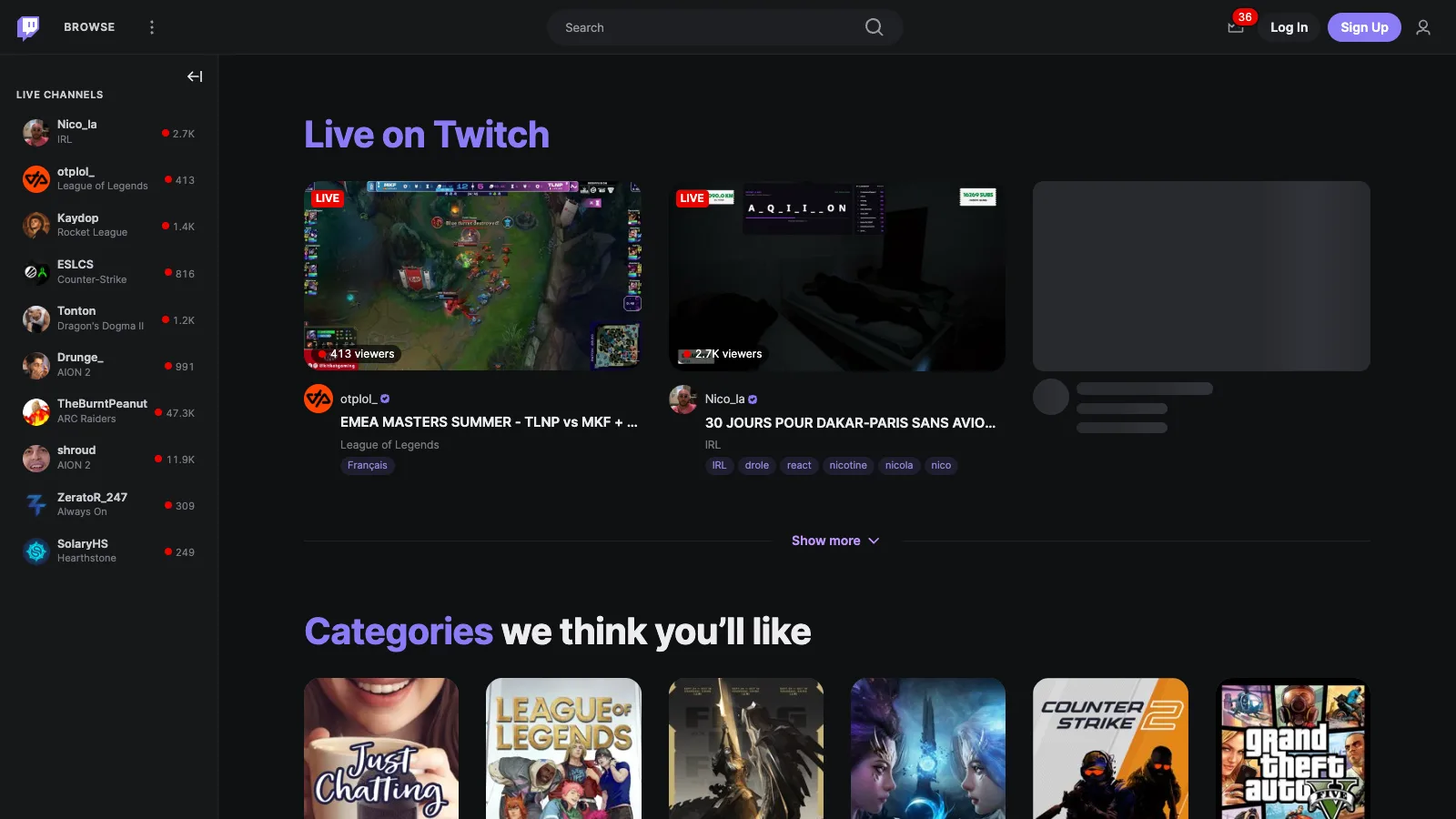
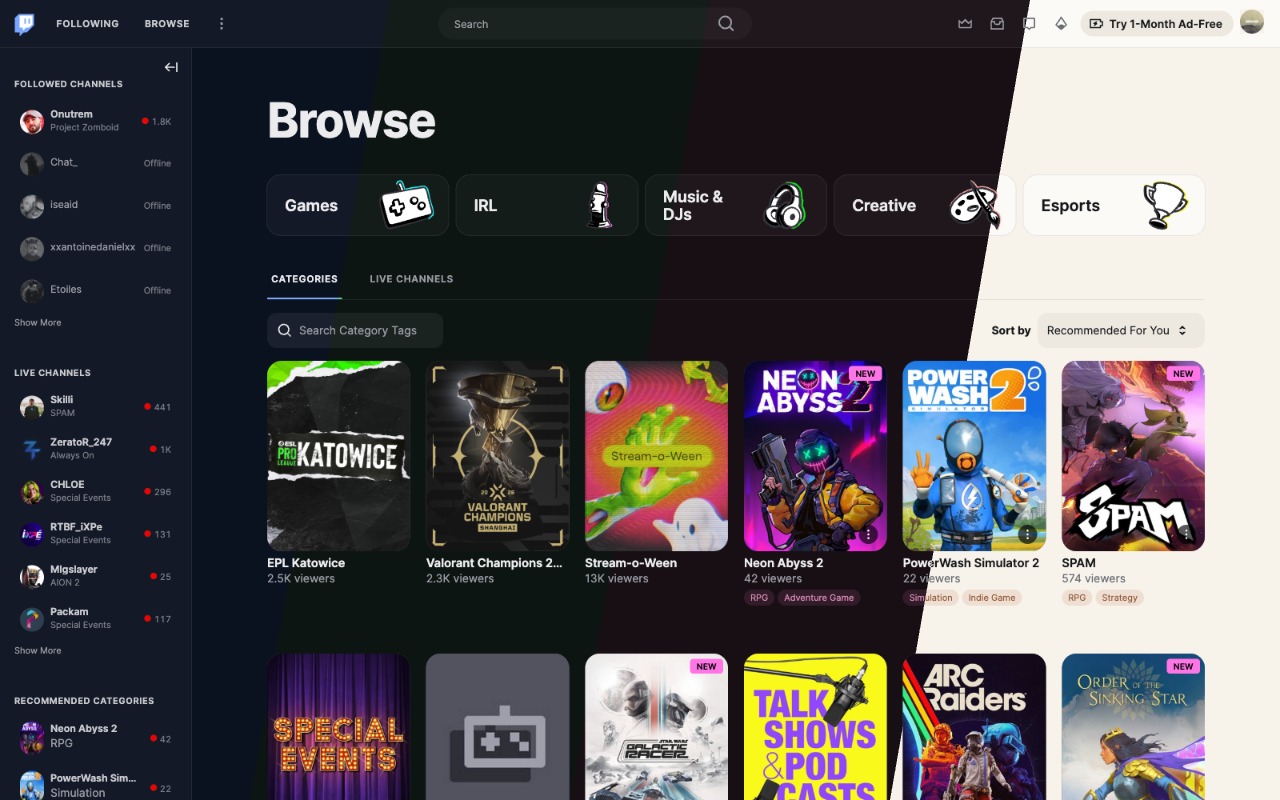
Smaller rows, small-caps section headers, viewer counts aligned to the right.
No hover cards, no "For You" header, and stories hidden unless you turn them back on.
More room in the top bar, a pill-shaped search field, dimmed icons.
HomeBrowseSearch
Cleaner Twitch pages, without the carousel
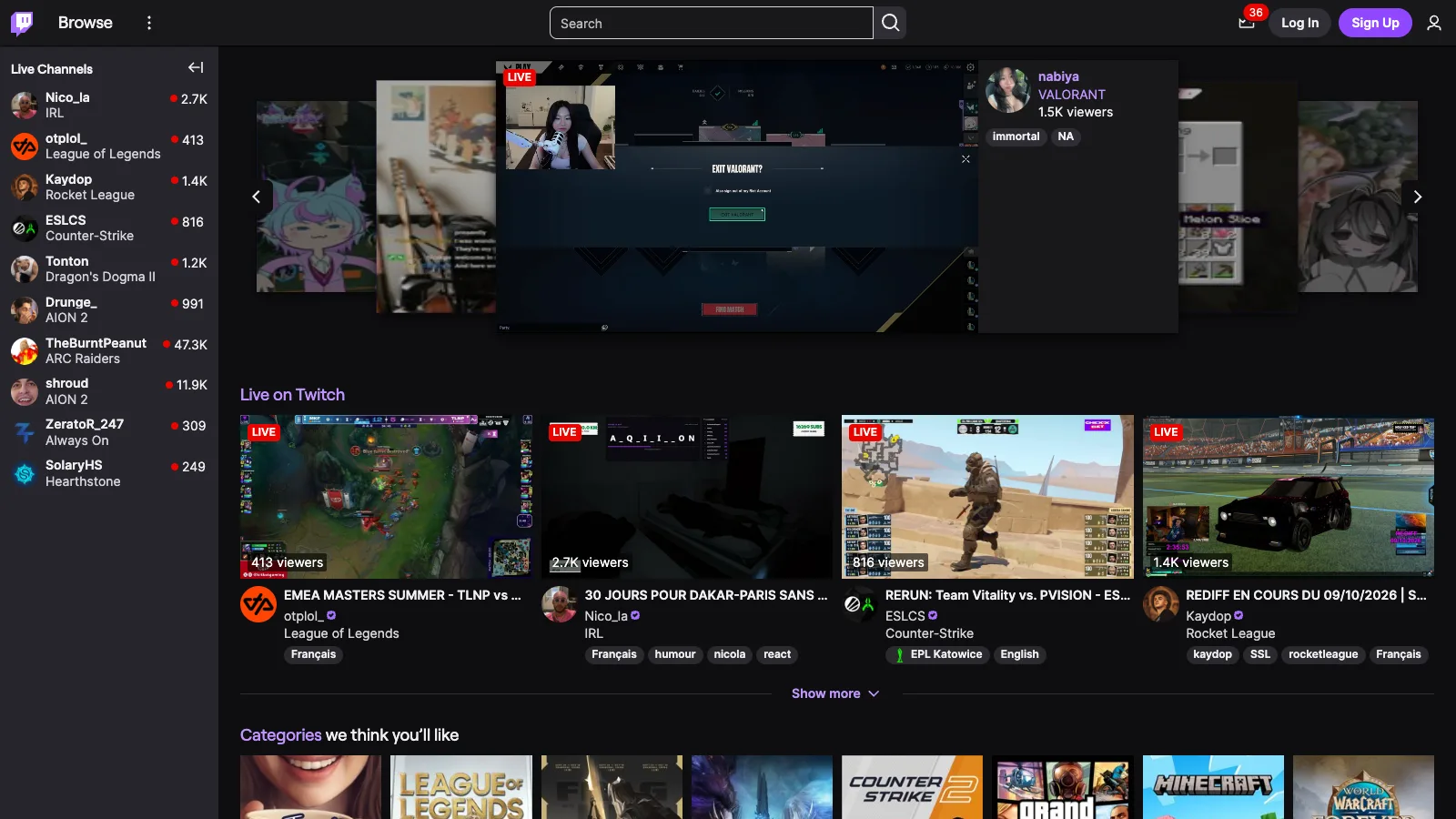
The autoplaying carousel is hidden on the home page, and its video paused. A setting brings it back, restyled like the cards under it.
Large shelf titles, the same on the home page, channel pages and under a video.
Rounded thumbnails, and cards that put the streamer's name first.
Tags and categories become small chips in your accent colour.
Hovering a card dims the ones around it, and video cards no longer play an animated preview.
Channel
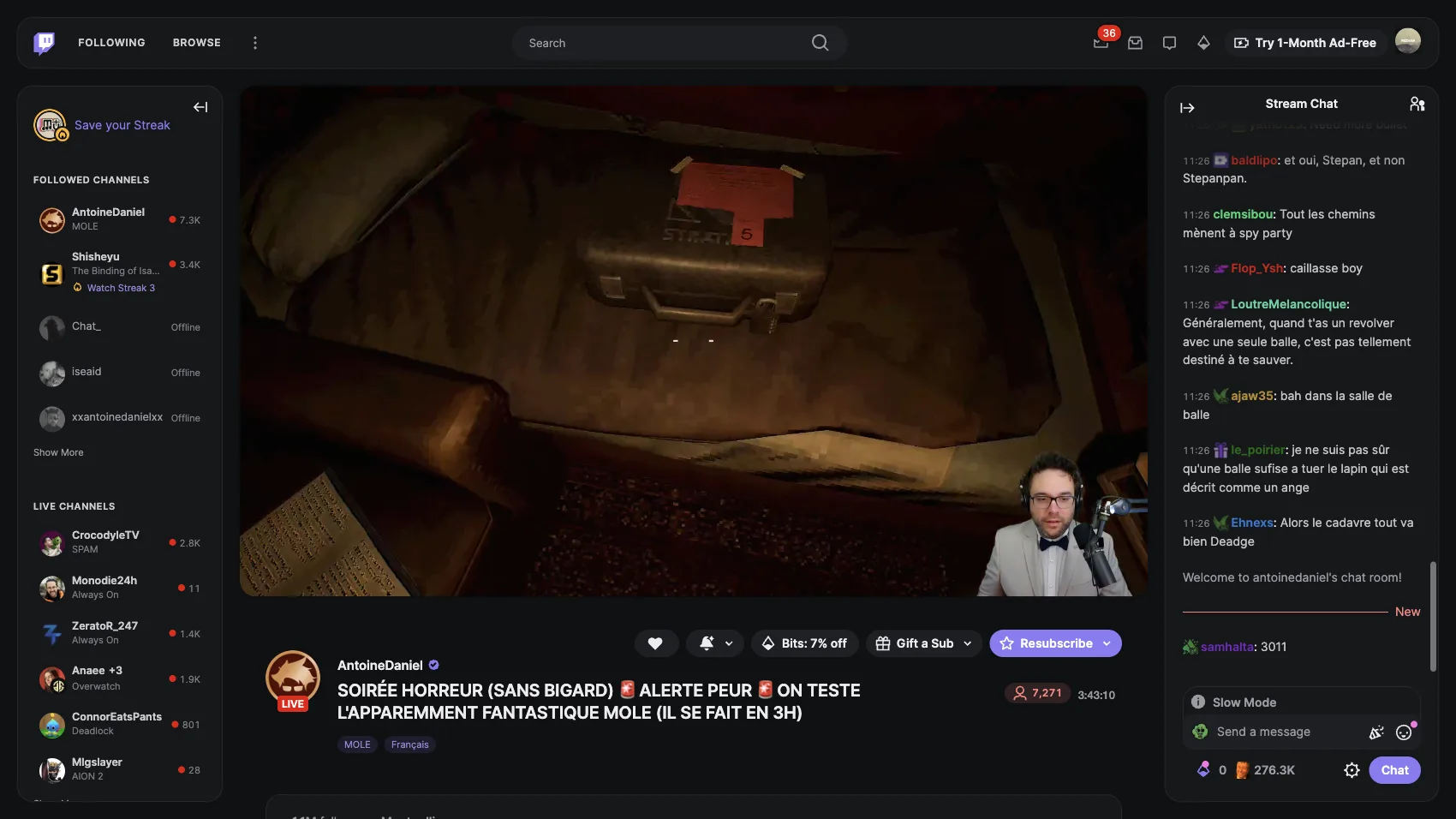
A framed Twitch player
The player is inset and rounded, with the stream information in a centred column below it.
Offline channels, videos and clips follow the same column and the same cards.
Panels line up on the column instead of floating in the middle.
Team pages lose the full-page photo: a header with the team's logo, name and banner, the player, and the members in a panel on the right.
Chat
A calmer Twitch chat
Muted messages that return to full contrast on hover, and a soft fade at the top.
The gifter leaderboard above the messages is hidden.
Chat replay on videos gets the same treatment as the live chat.
Its popups (emotes, cheers, rewards, drops, chat identity) share one framed style.
MenusDialogs
Flat menus and dialogs
Borders instead of shadows, and a dimmed backdrop behind dialogs.
Filter and sort menus share one row size and one inner margin.
Themes, colours and settings
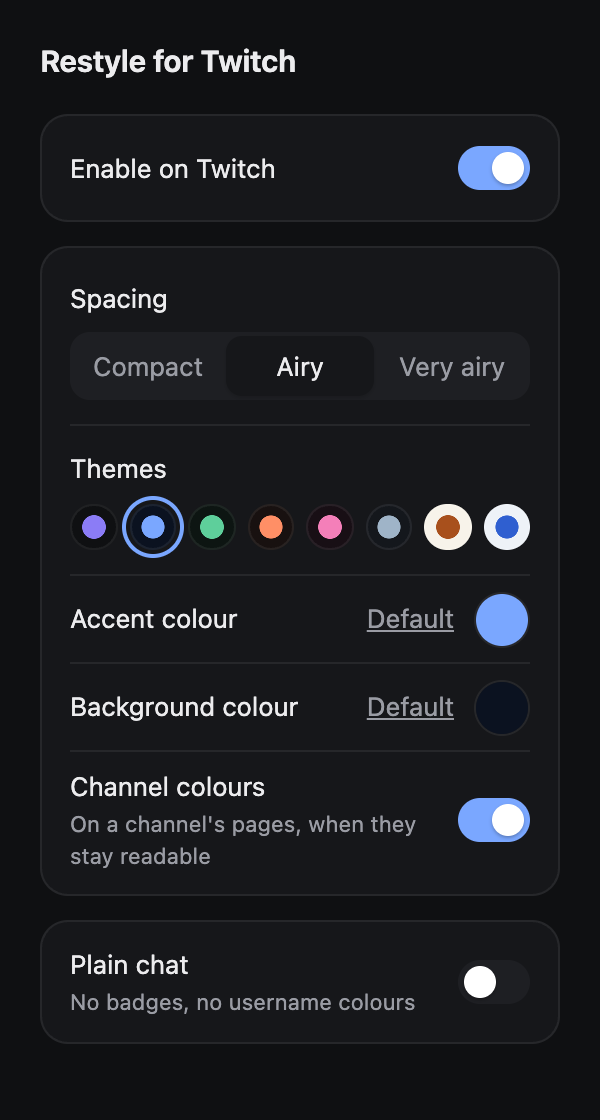
Click the extension's icon. Changes apply at once, without reloading the page.
Enable on Twitch
Turns the whole restyle on or off.
Spacing
Three densities: compact, airy, very airy.
Corners
How rounded cards, panels, fields and buttons are: square, soft or round.
Floating panels
Takes the top bar, the sidebar and the chat off the window's edges, as rounded panels.
Themes
Eight ready-made pairs of background and accent colours, dark and light.
Accent colour
The colour of links, tags and highlights.
Plain chat
Hides chat badges and shows every username in the text colour.
Background colour
The page colour. Sidebars, chat, menus and text colours are derived from it. Reset it to follow Twitch's own light or dark theme.
Channel colours
On a channel's pages, takes the accent and a tinted background from the channel's own colour, adjusted until text stays readable.
Home carousel
Shows the featured streams at the top of the home page. Off by default.
Stories
Shows stories in the sidebar and on Following. Off by default.
The settings popup, here with the Midnight theme.
Floating panels: the top bar, the sidebar and the chat come off the window's edges.One page, several themes: each band shows the same Browse page in a different one.
The popup follows the browser's language: English, French, Spanish, Portuguese, German, Italian, Dutch, Polish, Turkish, Russian, Japanese, Korean and Chinese (simplified and traditional). Other languages get English.
Install it on Chrome or Firefox
Chrome. Install it from the Chrome Web Store. Requires Chrome 120 or later; Chrome keeps it up to date.
Open chrome://extensions and turn on Developer mode.
Click Load unpacked and select the unzipped folder. Keep that folder: Chrome loads the extension from it.
Firefox. Install it from Firefox Add-ons. Requires Firefox 140 or later; Firefox keeps it up to date.
To try a release before it reaches Firefox Add-ons, load it for one session: download restyle-for-twitch-firefox.zip, open about:debugging#/runtime/this-firefox, click Load Temporary Add-on and select the zip.
Twitch changes its markup without notice, so an update on their side can break part of the restyle. If something looks wrong, open an issue with a screenshot and the page's address.
Questions
What people usually ask before installing it.
How do I change the theme or colours on Twitch?
Install the extension and click its icon. Pick one of the eight dark and light themes, or set your own accent and background colours. Channel colours can also take them from the channel you are watching. Changes apply without reloading the page.
How do I hide the autoplaying carousel on the Twitch home page?
With the extension on, the carousel is hidden and its video paused. A setting brings it back if you want it.
Can I hide stories on Twitch?
Yes, stories are hidden by default, in the sidebar and on Following. A setting shows them again.
Is it free and safe to use?
It is free and open source. It only runs on twitch.tv, collects nothing, and its one permission stores your settings.
Does it block ads?
No. It changes how Twitch looks, not how it works.
Can I go back to the original Twitch design?
Yes. Turn off "Enable on Twitch" in the popup and Twitch is back as it was.
Privacy
The extension only runs on twitch.tv. It collects nothing and sends nothing anywhere. Its one permission, storage, is used to remember your settings.