A minimap for Minecraft, unlocked with a compass
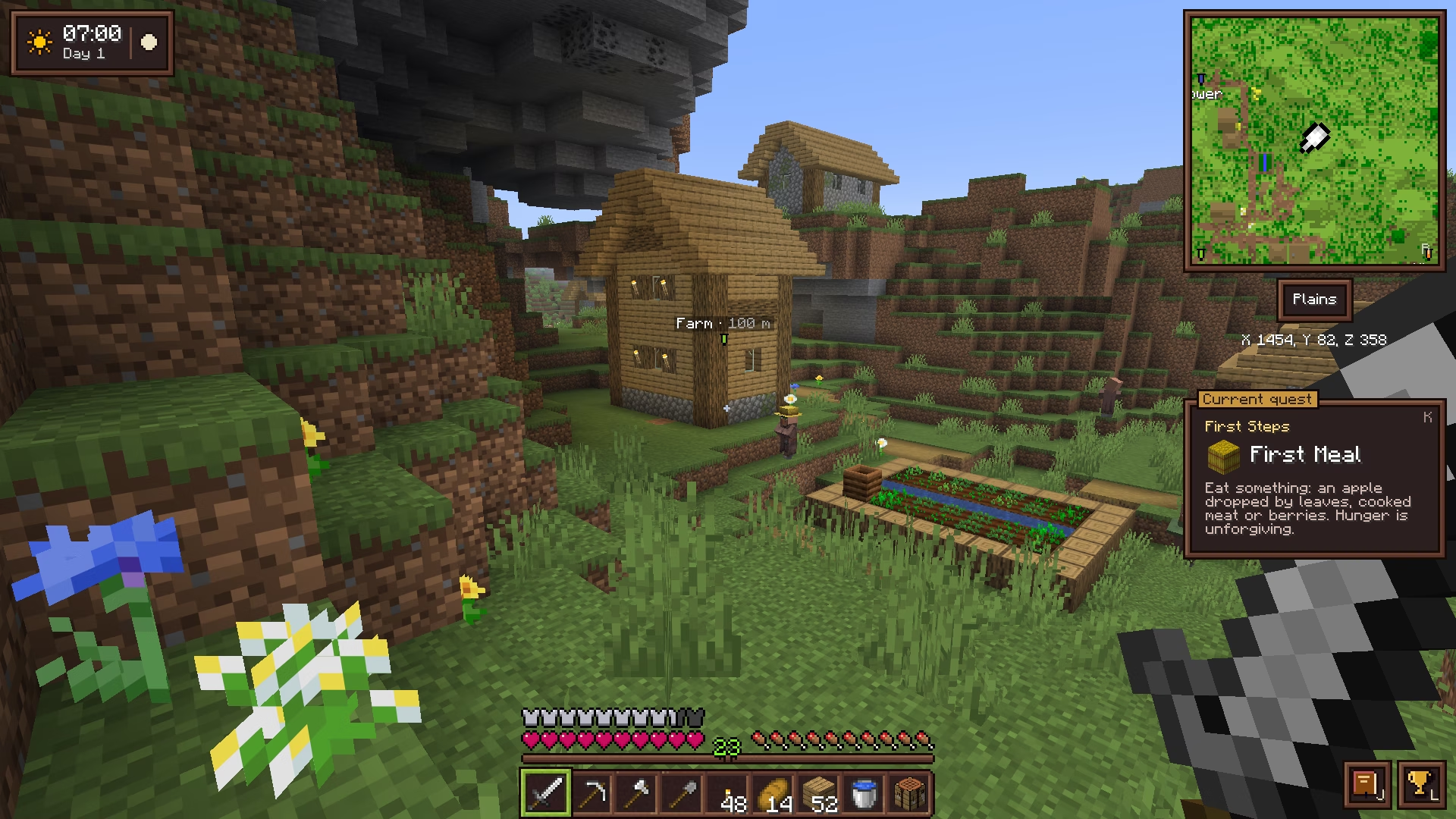
Equip a compass and Cassonade draws a minimap in the top-right corner of the screen, in the colors of vanilla maps, with the biome and your coordinates underneath. No compass, no minimap: the screen stays as clean as vanilla.
Part of Cassonade, a free vanilla+ mod for Minecraft 26.3 (Fabric)
How it works
Equip a compass to see where you are.
- Equip a compass in the compass slot, above the offhand: the minimap shows up in the top-right corner.
- + and − zoom from 32 to 256 blocks across.
- The biome you stand in and your coordinates are written underneath.
- The N button next to the minimap, or R, switches between north-up and a map that turns with you.
- Your waypoints show in the world, through terrain, as banners with their name and distance, smaller the farther they are. N cycles between icon and text, icon only, or hidden.
- In the Nether, the map shows the floor you stand on, not the bedrock ceiling.
- Zoom, rotation and waypoint display are remembered between sessions.
Keys + / − zoom · R rotates · N toggles waypoints
Questions
Do I need a compass to see the minimap?
Yes: the minimap shows while a compass, or a sculk compass, is equipped in its slot. Take it off and the screen is vanilla again.
Does the minimap work in the Nether?
Yes. It shows the floor you stand on rather than the bedrock ceiling, so the tunnels and lava lakes around you stay readable.
How do I add a waypoint?
Waypoints are placed on the world map: right-click anywhere on it, then pick a name and one of the 16 dye colors. The waypoint then shows on the minimap and in the world.
Do the keys work on an AZERTY keyboard?
Yes. Letter keys, + and − follow the character printed on your keyboard, and every key can be changed in Options → Controls → Key Binds → Cassonade.
More in Cassonade
One mod, every feature: they all come in the same download.
- Backpack 54 more slots, crafted from leather, string and a bundle.
- World map and waypoints Every chunk you have explored, on one map.
- Clock Equip a clock to know when night falls, a barometer to know when rain will.
- An inventory that keeps up All the little gestures vanilla is missing.
- Right-click harvest Right-click a ripe crop: it is harvested and replanted.
- Elytra slot Fly without taking your chestplate off.
- Filtered hopper Item sorters without the redstone.
- Quest journal and advancements Always know what to do next.
- Combat awareness Equip a sculk compass to know who is after you.
- A refined interface A cleaner, warmer look for every screen, still in Minecraft's style.