A world map with waypoints for Minecraft
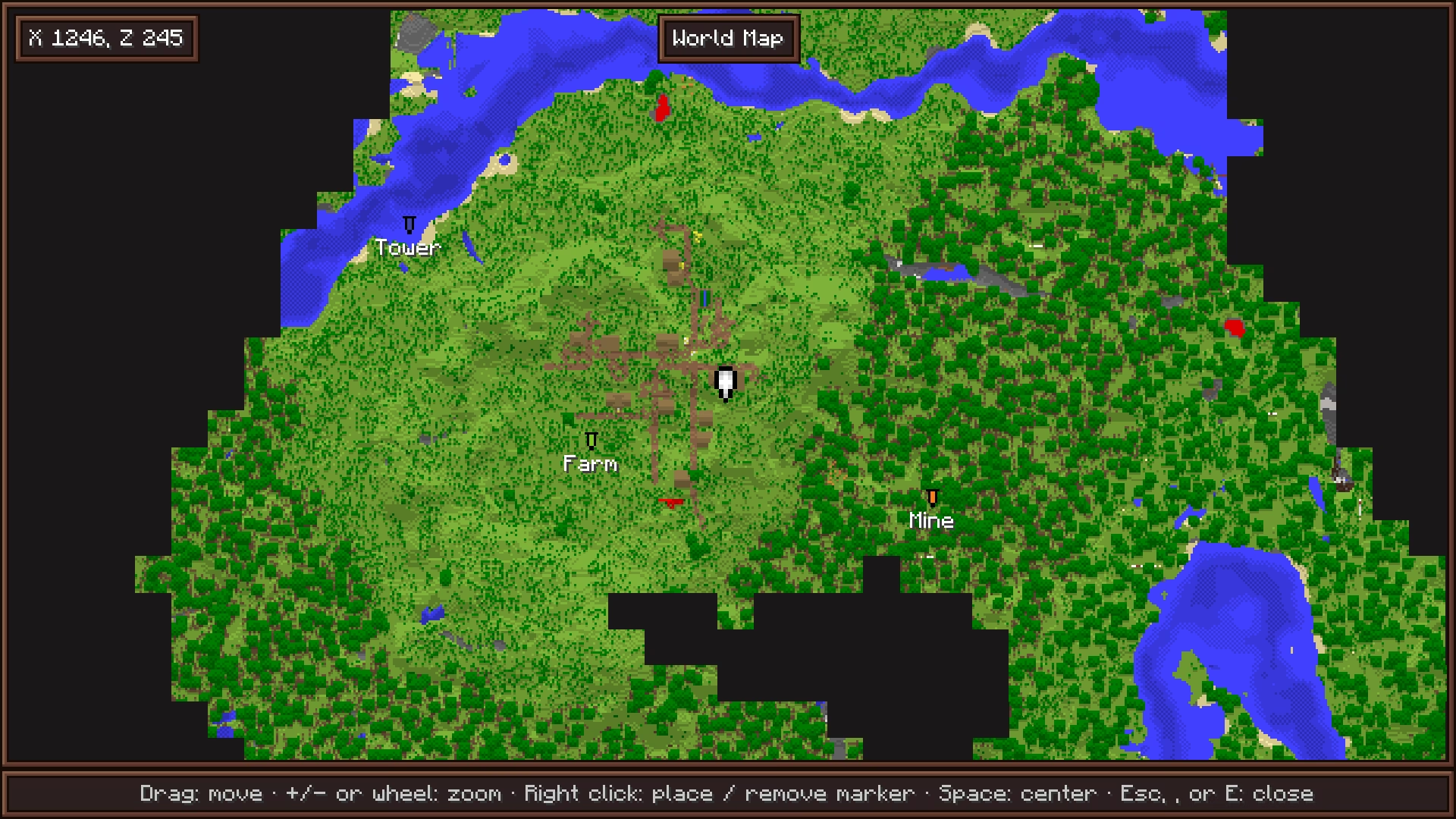
Craft a world map from an empty map and eight sticks, and open a full-screen map of every chunk you have explored, under a fog of war. Place named waypoints in any of the 16 dye colors: they show on the map, on the minimap and in the world.
Part of Cassonade, a free vanilla+ mod for Minecraft 26.3 (Fabric)
How it works
Every chunk you have explored, on one map.
- Craft a world map from an empty map surrounded by eight sticks, and equip it in the map slot.
- M, or the tab at the top of the inventory, opens a full-screen map of every chunk you have explored in this dimension, under a fog of war.
- Drag to move, + / − or the mouse wheel to zoom, Space to recenter on yourself.
- Right-click to place a waypoint, with an optional name and one of the 16 dye colors; right-click a waypoint to remove it. You can have up to 64, and they are kept on death.
- Waypoints show as banners of their color on the world map, on the minimap and in the world.
- Where you last died shows as a red X, on the maps and in the world. It goes away once you get back there, or with a right-click on the world map.
- Exploration is recorded from the first minute, even before you craft the map.
Keys M opens the map · Space recenters
Questions
How do I craft the world map?
Put an empty map in the middle of a crafting table and fill the eight slots around it with sticks. Equip the world map in the map slot, above the offhand, then press M to open it.
Do I have to explore again after crafting the map?
No. Exploration is recorded from the first minute, with or without the map: everywhere you have been is already on it when you craft it.
How many waypoints can I place?
Up to 64, across all dimensions. They are saved on your player and kept when you die.
How do I find where I died?
A red X marks where you last died, on the world map, on the minimap and in the world, until you get back there. A right-click on it in the world map removes it.
More in Cassonade
One mod, every feature: they all come in the same download.
- Backpack 54 more slots, crafted from leather, string and a bundle.
- Compass minimap Equip a compass to see where you are.
- Clock Equip a clock to know when night falls, a barometer to know when rain will.
- An inventory that keeps up All the little gestures vanilla is missing.
- Right-click harvest Right-click a ripe crop: it is harvested and replanted.
- Elytra slot Fly without taking your chestplate off.
- Filtered hopper Item sorters without the redstone.
- Quest journal and advancements Always know what to do next.
- Combat awareness Equip a sculk compass to know who is after you.
- A refined interface A cleaner, warmer look for every screen, still in Minecraft's style.