A quest journal and a better advancements screen for Minecraft
Always know what to do next: a quest journal in twelve chapters walks you from your first night to the toughest challenges, following Minecraft's own advancements, and a new advancements screen shows exactly what is left for each.
Part of Cassonade, a free vanilla+ mod for Minecraft 26.3 (Fabric)
How it works
Always know what to do next.
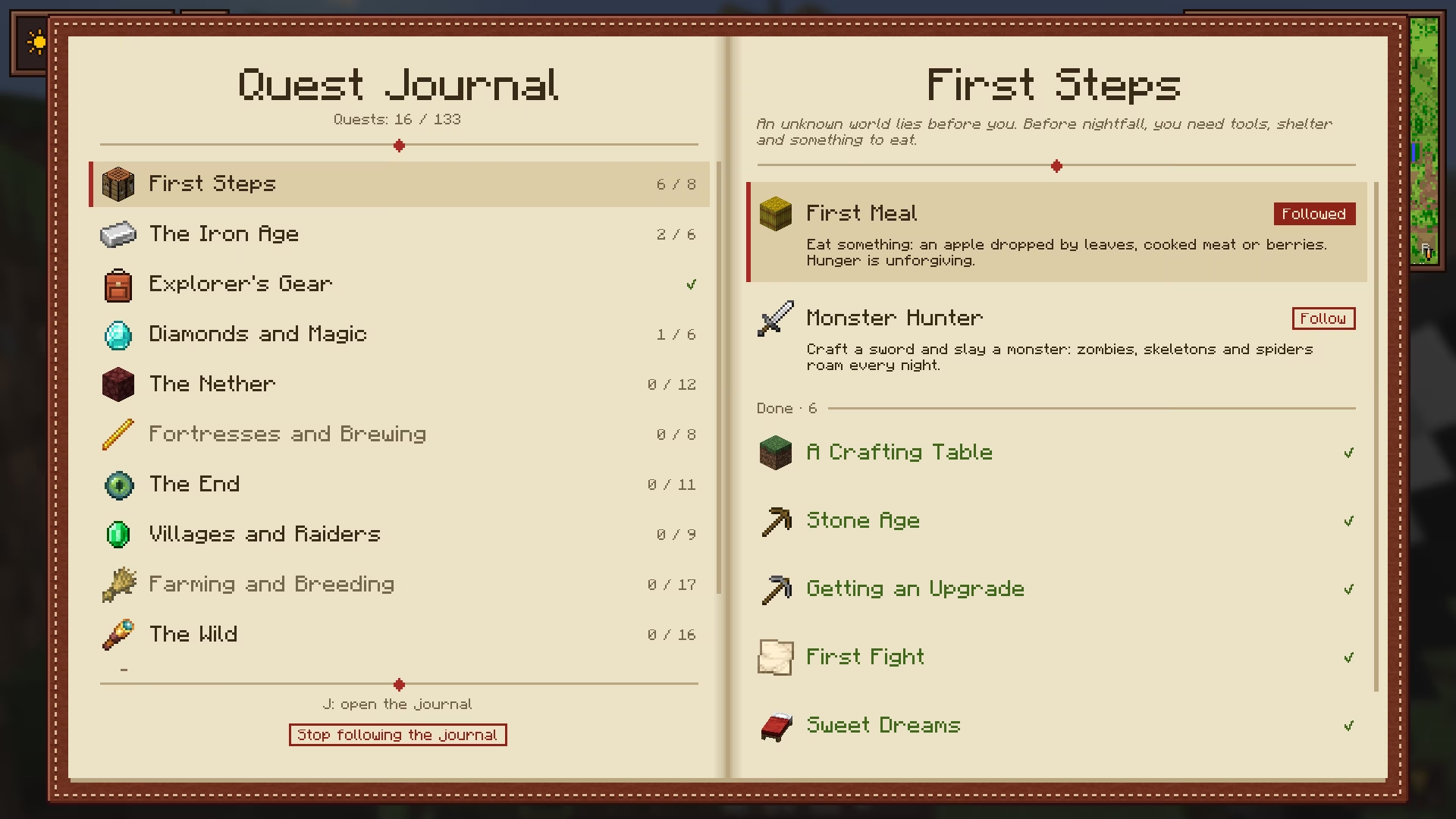
- Quest journal (J): twelve chapters that walk you from your first night to the toughest challenges. It is offered when you start a world, and you can turn it on or off at any time.
- Current quest: shown under the minimap with its progress. Click it to open the journal; K shrinks it, hides it or shows it again.
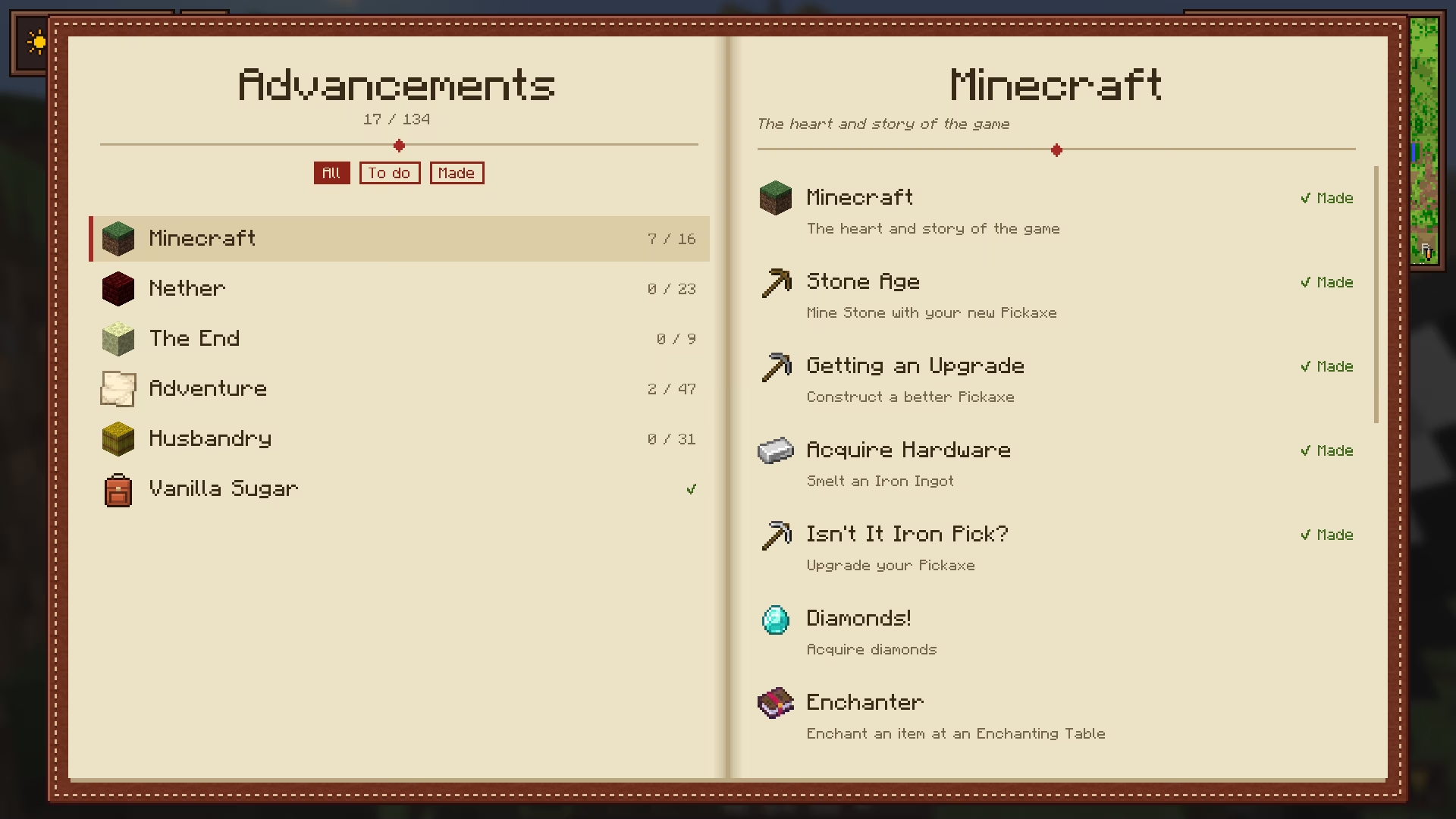
- Advancements screen (L): every advancement in one book, with what is left for each (biomes to visit, mobs to kill…) and a filter for what is done or still to do.
- Celebrations: earned advancements are announced in the middle of the screen, bigger for goals and challenges.
- The quests follow Minecraft's own advancements: nothing new to collect, nothing that changes the game's progression.
Keys J journal · L advancements · K tracker
Questions
Are the quests new content?
No. The journal arranges Minecraft's own advancements into twelve chapters, in a sensible order: it gives direction without changing the game.
Can I turn the quest journal off?
Yes. It is offered when you create a world, and can be turned on or off at any time. K shrinks or hides the current quest on screen.
What does the new advancements screen show?
Every advancement in one book, and for each one what is left: the biomes you have not visited yet for Adventuring Time, the mobs you have not killed for Monsters Hunted, and so on.
More in Cassonade
One mod, every feature: they all come in the same download.
- Backpack 54 more slots, crafted from leather, string and a bundle.
- Compass minimap Equip a compass to see where you are.
- World map and waypoints Every chunk you have explored, on one map.
- Clock Equip a clock to know when night falls, a barometer to know when rain will.
- An inventory that keeps up All the little gestures vanilla is missing.
- Right-click harvest Right-click a ripe crop: it is harvested and replanted.
- Elytra slot Fly without taking your chestplate off.
- Filtered hopper Item sorters without the redstone.
- Combat awareness Equip a sculk compass to know who is after you.
- A refined interface A cleaner, warmer look for every screen, still in Minecraft's style.